Thursday, July 9, 2009

Creator Tip: How awareness works with buildings


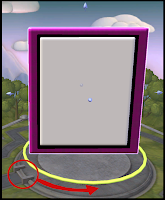
DVDMaster at the official Spore forums has made a discovery about how the awareness system of NPC creatures works with buildings in the adventures. Check the picture above. Numbers 1, 2 and 3 are buildings created separately. As should be expected, most of the creatures on the picture are able to see one another, with exceptions: A can see only B, because the buildings are on the way, for instance. But let's move to another example:


Here the building 4 is only one building, despite having the same shape of the two buildings from the previous example put together. There should be no change, right? Wrong!

Now the creatures B and E can't see the C and D guys, and vice-versa. In fact, C and D can't even see each other, despite being side by side!

DVDMaster has thought of an explanation for that, and his finding has been confirmed by the developers:


Imagine there's an invisible box around each building, and that these boxes actually hide stuff that's behind them or inside them. It would explain why the C and D creatures are practically blind in the case shown.

This happens because the game computes a bounding box that encases each building and uses it to determine awareness. The line-of-sight checkings are expensive, and Spore uses this solution in order to avoid taxing the machine's processor.

This means that if you're planning to build interior spaces, you should create floors, walls and ceilings separately, or any creature put inside it won't be able to interact with objects or other creatures.

Creator Tip: a few tips on making adventures


1.
There's more to goals than just "kill N creatures". Make sure you experiment with the different kinds of goals. Extermination missions can get really boring, especially if there's no challenge, or if it's too challenging. No way to defeat that big boss other than getting all upgrades for the captain? Then your mission will be left aside until the player gets the upgrades, by the time he'll probably have forgotten it.

2.
If you want to make your mission hard, make it short. That way, the player can try a few times before getting bored. It's highly frustrating to play a mission for 20, 30 minutes, and then be killed by an overpowerful NPC.

3.
A longer mission can be hard, as long as the player can figure out a solution after playing and failing. Just making the enemies epic, with high attack and health points is pointless, unless you also give the player the tools to finish it, and ways to find out how to do it.

4.
Remember that gameplay objects can be disguised - in other words, replaced by buildings or vehicles. This allows you to disguise a gate as a UFO, and have a parked spaceship, for instance. Also, remember you can set any object to appear/disappear only in certain acts, allowing for story development as the adventure progresses.

5.
You may want to use the first act for a "talk to" goal. That way you can have a character explain what the mission is about. You can also give tips by the speech boxes on the behavior panels. This allows for some cool detective work, where the player clicks on an object on the groun and gets some info, without having to sacrifice a goal for that. It's very rewarding for the player when he can put together the pieces of a mystery.

6.
Finally, remember to tag your adventure creations GAprop! That way they won't show up in the stages of the core game. It's really annoying to meet alien species called "The Mayor Bob Empire", and even worse to find cities made of wall parts and giant keys. Also remember that you can change the name of the creation in the adventure editor, without really affecting the creation outside the adventure. That way you could get one of your alien species and rename it to "Mayor Bob", for instance.

Well, that's it for now, folks! More to come soon!

Wednesday, June 17, 2009

My first adventure is online!

Last month I was invited to the Maxis Studios along with other 9 creators, and we had a chance to create our own adventures, as I've already talked about.

And today the folks at Maxis uploaded the stuff we created to the online Sporepedia, meaning everyone can already check it out (though everyone will have to wait for Galactic Adventures to actually be able to play it. So far only Maxis employees and testers have their hands on it).

Anyway, just click the image for the Sporepedia link. And be sure to check out the adventures created by the other campers!

Monday, May 18, 2009

Galactic Adventure Camp - mission log


Act 1
Goals: talk to MaxisCactus v
get a passport and a visa
v

So a few weeks ago I got an e-mail from MaxisCactus inviting me to join a few other creators for a 2 day event at the Maxis Studios in Emeryville, California, where we would play the upcoming Spore expansion pack Galactic Adventures, talk to the developers behind the game, and eat pizza. After I got over my initial reaction - thinking it was all an elaborate scheme from an international gang to steal my kidneys - I got really excited, and started making arrangements so I could attend and still keep my job (and hopefully, my kidneys).

I'm from Brazil, so there was some stuff I had to take care of, such as getting a passport and an american visa. Thankfully I managed to get everything I needed on time - though the people from the U.S. consulate had a hard time believing that I was going California just to play a videogame, and I feared they would deny my request for the visa.


Act 2
Goals: get to Emeryville alive v

Then I went on a 26 hours journey (counting all the waiting hours at airports, flight times and waiting for my baggage to appear). Unfortunately the EA travel coordinator had me booked on a fligh that would get me to San Francisco late for the first day of the event, and a few more delays (such as the shuttle from the airport leaving without me to Emeryville, but it eventually got back) meant that I would only get to Maxis by 2 PM, instead of 9 AM.


Act 3
Goals: get to the Maxis offices v
get a sandwich
x

So I arrived at Maxis, where I was greeted by Tammy (their sweet receptionist), MaxisCactus and Aaron (who were in charge of the event). They took me to the Aquarium, where the other 9 guys were already playing on neat Asus* laptops (oh, the blinking blue lights!). G3NJI, Fotosynthesis, Shattari, Masscolder, Gryphon57, dananddna, Slartibartfast38, Terry from TnT-Productions and Ceece were all there. They barely moved their eyes from the screens to greet me, but I guess that's easily understandable. I myself couldn't wait to get my hands on the Adventure Editor. MaxisCactus gave me a sandwich because I hadn't eaten anything since breakfest on Miami time, but I only ate half of it - that's how axious I was.

* Well, I got an Asus poster and a t-shirt, so it doesn't hurt to advertise a little.


Act 4
Goals: create a planet for my adventure v
place down buildings, creatures, vehicles and other stuff
v
use effects, sounds and behaviors
v

I login to the game and play a couple of adventures at MaxisCactus' suggestion. They're cool, but I'm itching to create. I load a Maxis-made planet to the editor, and start twitching it.

The planet editor isn't exactly as I expected, so I have to make a few changes on my plans. The sculpting tools are actually brushes that can be placed, moved, rotated, resized and distorted - much like detail parts on a creature's body. It's all very versatile, but I wish we had more time, because it would probably take a couple of hours to get the planet looking like I wanted.

The coloring options are a lot more complex (and yet easy to use) than I anticipated. Sure, you can change the colors of stuff like the ocean, atmosphere and beaches - but you can also create cool color gradients that vary according to terrain elevation. I think I could probably make a Death-Star-looking artificial planet just with the scuplting and painting brushes.

The building placement is exactly what I was dreaming it would be. You have all the freedom you could wish to create detailed cities, placing things anywhere (the tab, ctrl and shift keys work just like on the building editor), resizing and combining stuff. I made a city inside a dome and a drilling camp that had cracked ice with real water inside the crack.

The effects and sounds make it all even better, allowing us to create awesome visuals and ambiences. Oh, and the building textures may look blurry from far away, but as the hero approaches the stuff, it gets as detailed and clear as in the editor*.

BTW, it's crucial to place the hero near the buildings and check them out in the Test Mode. For instance, we're placing buildings that have a flat base on a planet with a spherical surface - that creates a gap that you can only see from the surface, and you have to fix it by either creating a flat surface or by sinking the buildings on the ground a bit (holding shift).

Every creation has behaviors that affect how they're going to, uh, behave during the adventure. You can set a creature's team or level of aggressiveness, you can change a building's hit points or set it to invincible, you can disguise game objects as any other stuff, and a lot more. What's coolest is that you can set the behaviors according to each act, wich means you can change behaviors from act to act, and even set a creation as invisible and effectively non-existent during some acts. The possibilities that smart combinations of behaviors offer is practically infinite.

* that may vary according to your graphics card, though. Did I mentioned we were playing on awesome Asus laptops? Okay, enough advertising...


Act 5
Goals: eat some mexican food X
chat with the campers and maxoids
v
get some sleep, for Spode's sake!
v

By then the first day of the event had ended, and the Maxoids invited us to grab some mexican food with them. MaxisCactus drove me to the hotel first, so I cold check in and freshen up a bit before going to the Fresh Mex restaurant. It was awesome talking to the Maxis folks, they're really great people and they truly love this game as much as we do. i chatted a lot with Kip, Guillaume, Aaron, MaxisCactus - and also with Shattari, who kept drawing a creature during the dinner (I guess that's like a nicotine patch for editor-addicteds like us...). I actually forgot to eat, really (only had a couple of chicken wings). I finally crashed in the hotel room, and slept like a baby, or a rock, or like a baby rock. Or a rock baby. Sorry, I'm still a bit jetlagged...


Act 6
Goals: walk to Maxis with MaxisCactus and the Adventure Campers v
finish my adventure v
eat a big chocolate chip cookie!
v

On the second day of the Camp we met at the entrance of the hotel and waited for MaxisCactus to arrive and guide us to the offices. We stopped to take a few pictures on everyone's cameras (check the one just above*). We arrived at the offices and had breakfest. We really didn't stopped for breakfest, we just grabbed all we could carry and went to the laptops.

I put the finishing touches on my adventure (I had planned a simple one, so I was able to finish it on time), and played a few of ther Maxis adventures. Kip tested my adventure and was able to play it all the way through.

We had sandwiches for lunch, and I ate a big chocolate chip cookie for dessert. I love cookies! I messed a bit with the advanced AI options and checked what other people were making. MaxisCactus showed us an adventure she had created, about "what really goes on in the Maxis offices at night", and showed us a few neat tricks with the image filters for the adventures.

*I'm using mostly the pictures taken by Ceece or on her camera, since my camera is a bit old and my pictures didn't came out very good.


Act 7
Goals: Watch a presentation by Chris Hecker v
show off our adventures to the developers v
have pizza and beer
v

By then MaxisCactus had announced we would have a surprise presentation by Chris Hecker. Too bad we can't really talk about it... We also got tons of gifts, such as a Maxis cup, a couple of t-shirts (including the "Made of matter, anti-matter and it doesn't matter" one I always wanted), and a poster with a rendered version of one of our creatures. But wait, it doesn't stop there! MaxisCactus had us follow her to a desk where little boxes were waiting for us with little figurines of our creations inside! You can check mine on the picture just above. And they also let us take home the spore mousepads we were using. Oh, and MC announced that we would receive the game at the release date! Come on, Maxis, you're spoiling us!

A few of us showed off our adventures on the big demo screen. Shattari created a high-tech scenario (I believe it was called "Power Down"), where the hero had to jump between platforms to collect power ups. Looked good, but also pretty hard. I showed mine, and played through it with a captain made by Kip. Then dananddna used the captain I created to play his adventure called Mesocity, wich was awesome and really funny. And then Ceece showed off a colorful quest for her Floone. At the same time we were having beer and pizza with the developers.


Act 8
Goals: eat some chineese food X
go to Telegraph Hill to take some pictures X
fly back home
v

We tried to resist, but finally the Maxis people had to get rid of us, so we went back to the hotel. Those of us who weren't flying home that night went to the city by subway. There were four of us: Photosynthesis, Slartibartfast38, Shattari and me. Slarti got a map from MaxisKane, and we went to Chinatown to find him some chineese food. Unfortunately the restaurants that MK had suggested were all closed, so we kept walking. We got lost and couldn't find Telegraph Hill, so we ended up going back, grabbing a bit on a McDonalds, and riding the subway back to the hotel.

And then the trip was over. I had to start another day long trip, arriving home in time to prepare for another day of work...

Tuesday, May 5, 2009

Galactic Adventures Challenge: Props for the upcoming Maxis Adventure Camp


Next May 14th I'll be joining some of the top Spore creators on the Maxis Adventure Camp at the Maxis studio, where we'll have the chance of creating our own adventures!

I've been creating stuff in advance, but I'd like your help creating props for my first adventure! Create props that match the theme of my Red Planet Adventure Sporecast, and tag it "gaprop". Submit by leaving a comment here with the link for the creation.

I'm looking for props for a Mars like planet. Stuff that mach the theme ad style of the props I've created already. Here's a few examples of what I'm looking for: city props (garbage cans, lamps, decoration) matching the Bauder Red Stone buildings; sci-fi domes, also matching the Bauder set; other sci-fi props for a red desert planet with barely breatheable atmosphere; drilling equipment and arctic stuff for my Permafrost camp; etc.

I'll choose a few and add to the Sporecast by next Saturday, and those props will be used on my adventure!


UPDATE:
I've chosen a few of the props peopel sent me and I added them to the sporecast, but unfortunately none of those (and a few of my own creations) were missing on the laptop they had reserved for me at the Camp. I ended up not being able to use those props on my adventure. I apologise to everyone that took part on the challenge, and hope they'll still be able to enjoy my modest adventure when it's uploaded by the time of the game's release.

Wednesday, April 22, 2009

Parkaboy's building class: lesson 2

As I've said on the previous post, this is the "class" I'm teaching at the University of Spore Creations forums. Here goes the second lesson:

LESSON 2: On styles,

symmetry and the basic building shape


Let's move on! The main reference for this lesson is going to be this set, the Logian set:


Shall we start?

First of all, I must confess something. I'm an advocate of what I call "playable content". That means I like the content in my galaxy to make sense in the logic of the game. I usually only download creatures that look like creatures, buildings that look like buildings, and so on. I know there's a lot of laughter on flying around in a UFO shaped like a wheelchair, but I'm a sci-fi fan and I like to keep the nonsense to a minimum.

That also mean I worry a bit about stuff like scale. I usually do this: whenever I create a new set of buildings, I test it on a saved game (on Civ or Space Stage), and check if the average creature could actually fit in those buildings, as well as how the set fits together. When making matching sets, this is very useful, so test before uploading (you don't even have to save the game, after all)!

Creating Matching Sets:
Well, there's at least four things I take into account when making a set:
1- Try to use the same style of parts on all buildings (we'll se more details on that below);
2- Try to use the same textures and colors, or use the "Paint Like" option;
3- Try to keep some variation. Use variations of the same shapes, or add specific details so we can tell the buildings apart, such as chimneys for factories;
4- Try to organize the buildings according to size. This depends on how you usually create the layout of your city, but the average Spore city will look better if the center buildings are taller than the peripheral ones. The City Hall is always in the center, so it should be taller. I normally put factories and entertainment in the middle and houses around the rim, so the houses should be shorter.

Styles:
Certain parts fit better together; a certain door is a better match for certain windows than others, for instance. Pay attention to the details on each part: some are kind of medieval, others are futuristic. Here are some examples:


If you can't see it on the thumbnail, open it on the editor. There are many good combinations, so trust your gut. If you use the same types of parts for the entire set, you will increase the chance that the game will recognize those buildings as a set and use them together for NPC races (Matching colors and textures also help). Symmetry Notice the how the examples above are uninteresting as buildings. Well, they could look slightly better if I placed more details on the other faces, and not only in the front. This is very important when making City Halls; you don't want the centerpiece of your city to look dull from some angles. There are 3 main types of symmetry you should use:


The first one has equal opposite sides, meaning it has two types of faces. The second one has the front equal to the back, but different sides; it could also have equal sides, but the front different from the back; it has 3 types of faces. The third has only one type of face, meaning all of them are equal. All three types can be good choices, if you keep the building balanced. A version with four different faces is not recommended; usually it won't look good. It's not hard to make equal opposite sides, since parts like doors and window will "snap" to the opposite side of an already placed part, neatly aligned. The basic building shape: A good, conventional building often has 3 parts: a base, a "body" and a roof. You don't literally have to use roof parts to make a roof, for instance, but adding some details to the top of your building will improve it's appearance. The shape we were using in this class is kind of dull, though:


Of course some body parts or blocks are more detailed than this simple cubic shape. But we can make more interesting shapes if we don't stick with only a single block for the body. If you use several blocks of different heights and lenghts, and align them on the center of the original block, you can make something like this:


Looks already a bit better, doesn't it? You can improve it by using different types of blocks, though simpler ones are more easily combined. Just remember that the prettier buildings in real life aren't cubes. The building will look even better when windows and details are placed. But you can also use stacked blocks as pseudo windows (see the red parts on the picture below), just remember to use the "Ctrl" key for more control:


That's it for now!

Wednesday, April 15, 2009

Theme Set: Andeavor's Great Wall

In a couple of months the Galactic Adventures will be released, and players will have acess to the Adventure editor, wich allows you to place, resize and rotate any creation in scenarios called "adventure planets". That means creators can create complex structures - such as long walls - by combining buildings together. Andeavor's Great Wall is one of the best examples of the props being created in advance by the community. Check it out, end click the thumbnails for Sporepedia links: